nanowii 생명 불어 넣기
D10 또는 D4 <-> SDCS의
D11 <-> MOSI
(D12) <-> MISO의
D13 <-> SCK
3.3V <- > 3.3V
GND는 <-> GND
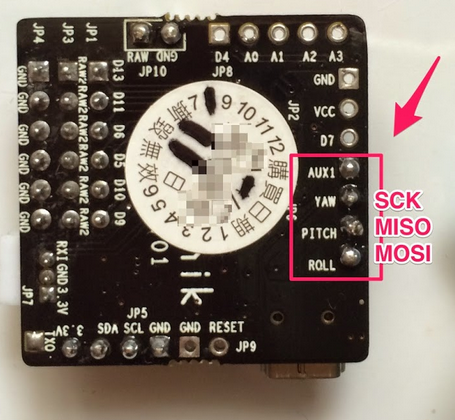
http://www.hobbyking.com/hobbyking/store/uploads/246372379X325125X51.JPG
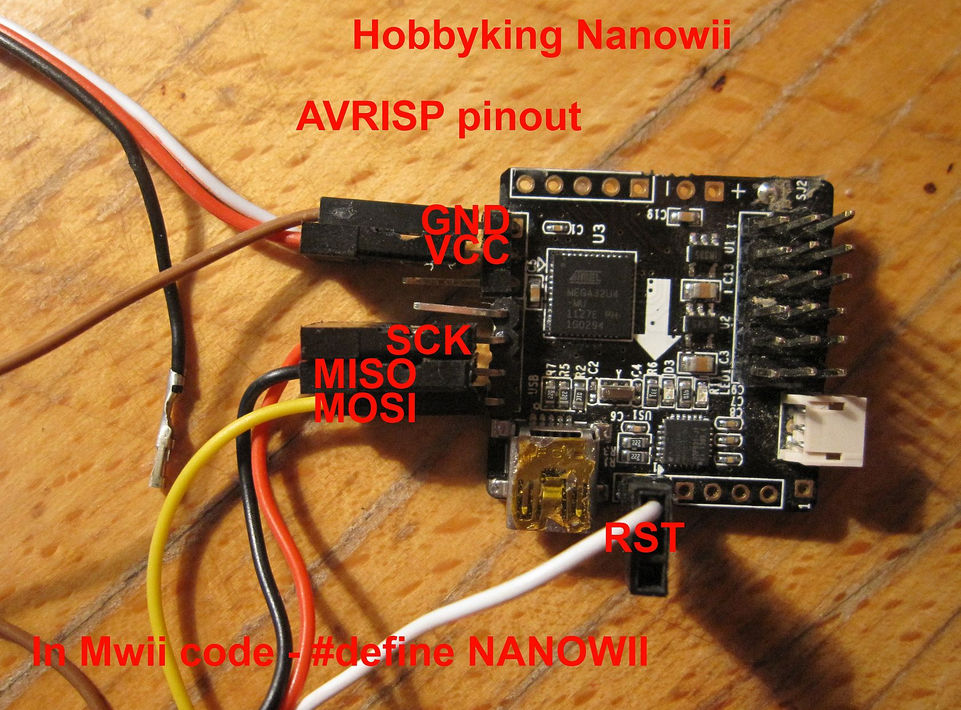
https://www.arduino.cc/en/Tutorial/ArduinoToBreadboard
http://www.instructables.com/id/Arduino-Leonardo-as-Isp/?ALLSTEPS
https://www.arduino.cc/en/Hacking/Bootloader?from=Tutorial.Bootloader
https://www.arduino.cc/en/Hacking/MiniBootloader
https://learn.adafruit.com/arduino-tips-tricks-and-techniques/bootloader
https://www.rc-heli-fan.org/quadrocopter-co-f255/nanowii-bootloader-update-t92355.html
Caterina-Leonardo.zip
==> arduino sdk에 있다. .ㅡ.ㅡ;
boot loader 위치 : C:\Program Files (x86)\Arduino\hardware\arduino\avr\bootloaders\caterina
arduino로 bootloader 올리기.
arduino as isp로 검색하면 write 가능한 방법이 나옴.
https://www.arduino.cc/en/Tutorial/ArduinoISP
정리………………………………..
uno 회로 배치도
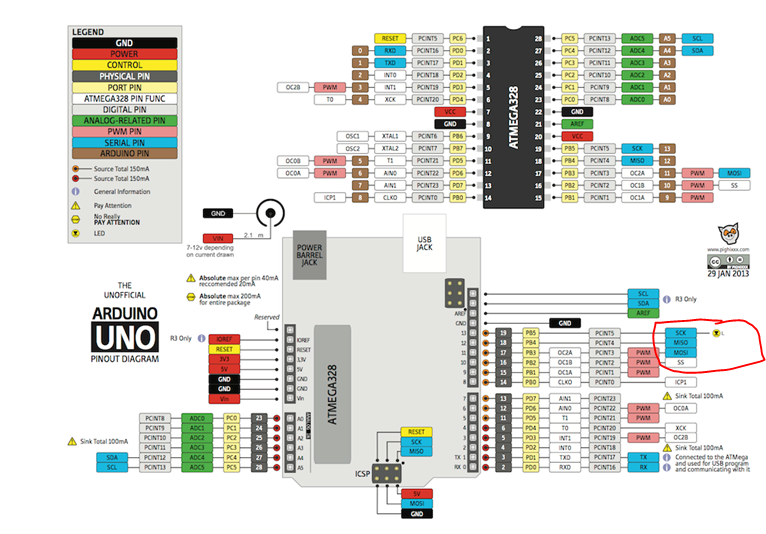
uno <-> nanowii connect
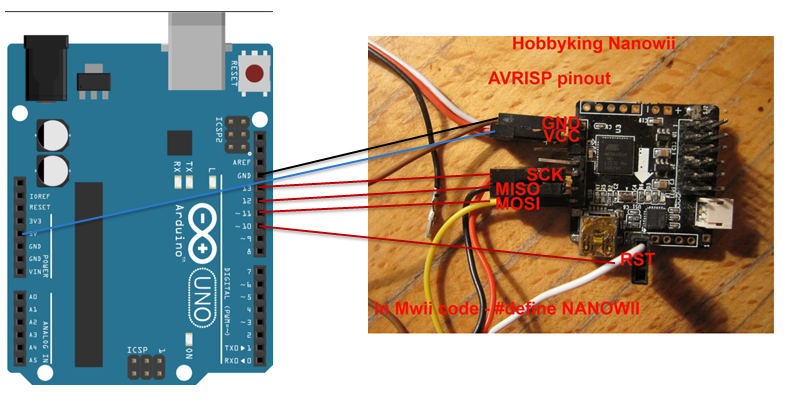
download 방법
- Open the ArduinoISP firmware (in Examples) to your Arduino board.
– arduino uno에 예제중 arduinoISP firmware를 다운로드 한다.
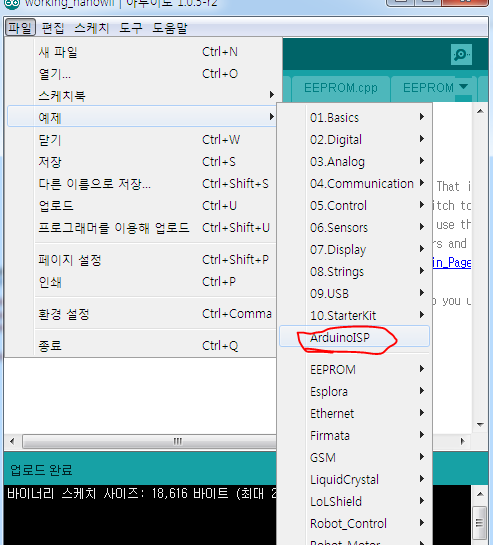
- Note for Arduino 1.0: you need to make one small change to the ArduinoISP code. Find the line in the heartbeat() function that says “delay(40);” and change it to “delay(20);”.
움… 그닥 최신 버젼 쓰면 신경안써도 된다.. 무시.. ㅡ.ㅡ;
- Select the items in the Tools > Board and Serial Port menus that correspond to the board you are using as the programmer (not the board being programmed).
Uno쓰면 Uno로 셋팅하고 연결되어 있는 serial port 선택한다.
- Upload the ArduinoISP sketch.
모 빌드해서 다운로드 한다 .ㅡ.ㅡ;
- Wire your Arduino board to the target as shown in the diagram below. (Note for the Arduino Uno: you’ll need to add a 10 uF capacitor between reset and ground.)
위에 연결하라는데로 uno랑 nanowii 연결한다.
- Select the item in the Tools > Board menu that corresponds to the board on which you want to burn the bootloader (not the board that you’re using as the programmer). See the board descriptions on the environment page for details.
nanowii는 leonardo니까 leonardo 선택한다…
아 그리고 프로그래머는 arduino as ISP를 선택한다.
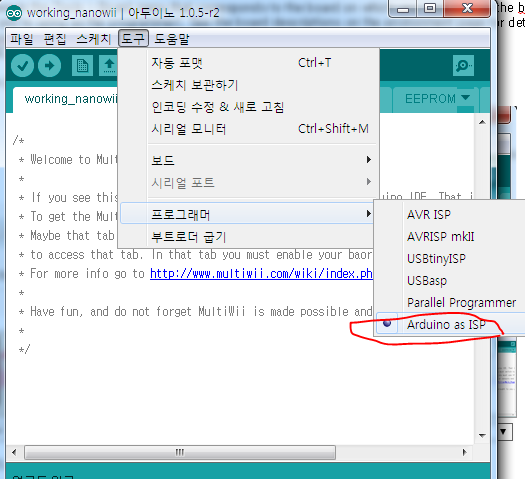
- Use the Burn Bootloader > Arduino as ISP command.
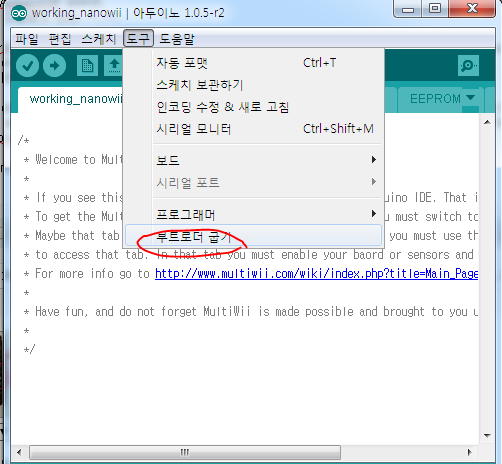
\